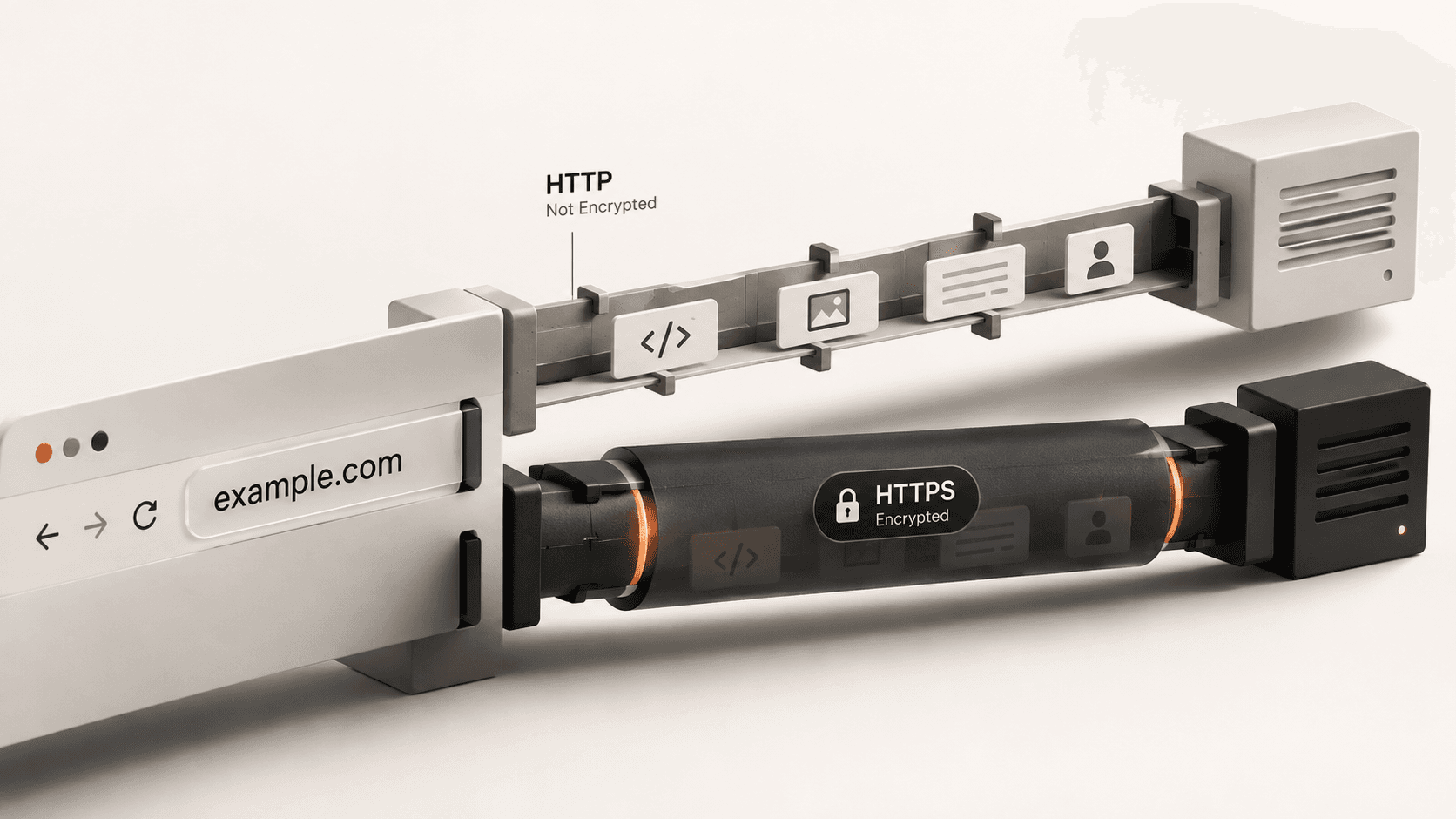
When you connect to a website, your browser and the web server communicate using a protocol. For decades, the standard was HTTP (Hypertext Transfer Protocol). Today, the modern standard is HTTPS — the "S" stands for Secure. Knowing how to tell the difference is a fundamental skill for staying safe online.
What Is the Difference Between HTTP and HTTPS?
The difference is encryption. When you visit a website using standard HTTP, every piece of data you send and receive is transmitted in plain text. This means anyone sitting on the same network — like a hacker at a coffee shop or your Internet Service Provider — can see exactly what you are doing. They can read the passwords you type, the messages you send, and the pages you view.
HTTPS solves this by encrypting the connection using TLS (Transport Layer Security). Even if an attacker intercepts the data traveling between your computer and the website, all they will see is an unreadable scramble of characters. They can see that you are connected to a specific website, but they cannot see which specific pages you are looking at or what information you are sending.
How Can You Check the Connection in Your Browser?
Browsers make it very easy to see if a connection is secure. You simply need to look at the address bar at the top of your screen.
- The Padlock Icon: If the site is using HTTPS, you will see a small padlock icon directly to the left of the website address. Clicking this padlock will open a menu showing that the "Connection is secure" and will allow you to view the security certificate.
- The URL Prefix: Click into the address bar to edit the URL. The full web address should begin with
https://. - Browser Warnings: Modern browsers like Chrome, Safari, and Firefox actively warn you if a site is using old HTTP. Instead of a padlock, they will display a prominent "Not Secure" warning next to the address.
What Is HSTS and Why Does It Matter?
Sometimes you might type `http://` by accident, or click an old link. A website can use a special instruction called HSTS (HTTP Strict Transport Security) to force your browser to upgrade the connection.
When a server uses HSTS, it tells your browser, "Never connect to me using unencrypted HTTP again, even if the user asks you to." This prevents attackers from downgrading your connection back to the insecure version. You can check if a website is using HSTS and other protections by using our HTTP Headers Checker tool.
What Happens If a Site Is Still Using HTTP?
If you see a "Not Secure" warning, you should immediately assume that anything you do on that page is public. You should never enter passwords, credit card numbers, personal emails, or sensitive information on an HTTP site.
If it is a simple blog where you are just reading public articles, the risk is lower, but an attacker could still theoretically inject malicious ads or alter the text you are reading before it reaches your screen. As a general rule, if a site asking for your data is not using HTTPS, you should close the tab.