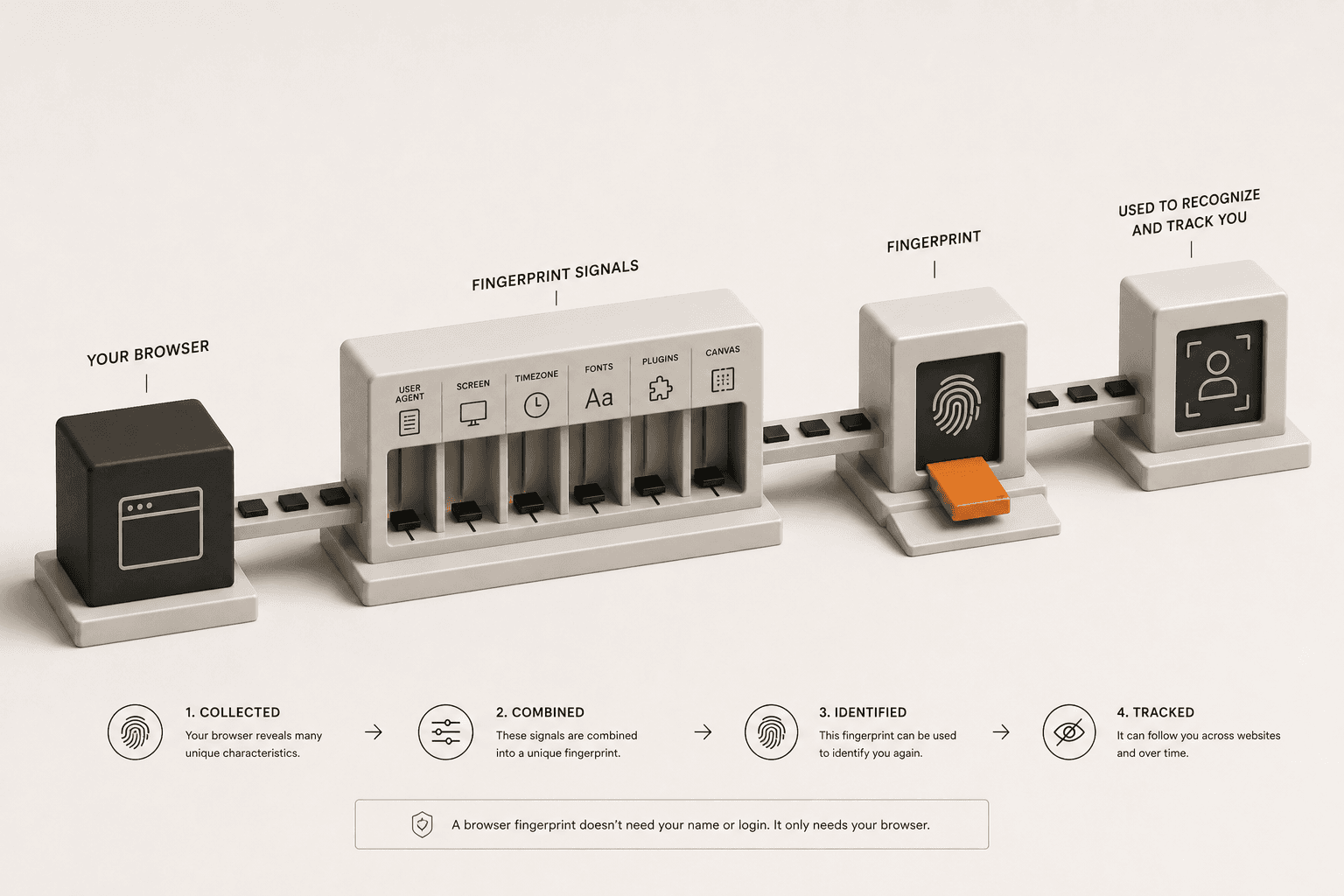
Most people assume that hiding their IP address behind a VPN or proxy makes them completely anonymous online. While masking your IP is a crucial first step for privacy, it is far from a complete solution. Websites have developed a much more sophisticated tracking method that doesn't rely on your IP address or cookies at all: browser fingerprinting.
What Is a Browser Fingerprint?
A browser fingerprint is a unique profile created by collecting dozens of small, seemingly harmless data points about your device and web browser. When you visit a website, your browser automatically hands over information to help the site load correctly. This includes your operating system, screen resolution, timezone, preferred language, and the exact version of the browser you are using.
Individually, these data points are not unique. Millions of people use Windows, and millions use Google Chrome. However, when a tracker combines your specific operating system version, browser version, exact screen resolution, timezone, installed system fonts, and hardware capabilities, the resulting combination is often entirely unique to you.
How Does Fingerprinting Work Behind the Scenes?
Data brokers and advertisers use scripts to silently extract this data while you browse. Some of the most common fingerprinting techniques include:
- Canvas Fingerprinting: The website instructs your browser to draw a hidden graphic. Because different graphics cards and operating systems render shapes and text slightly differently, the resulting image data acts like a unique digital signature.
- Audio Fingerprinting: Similar to canvas, this tests how your specific hardware processes audio signals.
- Font Enumeration: The site checks exactly which fonts you have installed on your computer. Designers or users with custom software often have highly unique font libraries.
- User Agent String: A standard header your browser sends that explicitly states your browser and OS version.
You can see exactly what your browser is broadcasting right now by checking our User Agent Analyzer tool.
Does a VPN Stop Browser Fingerprinting?
No. A VPN only changes your IP address and encrypts your network traffic. It does absolutely nothing to change your browser fingerprint. If you connect to a VPN server in another country, the website sees a new IP address, but it still sees your exact same screen resolution, canvas signature, and font list.
Trackers can easily link your real identity to the new VPN IP address by recognizing your returning fingerprint. This is why you might still see hyper-targeted ads even while connected to a VPN.
How Can I Reduce My Browser Fingerprint?
Defeating browser fingerprinting is difficult because if you block too much data, websites will break or flag you as a bot. However, you can significantly reduce your tracking surface area using the following methods:
- Use a privacy-focused browser: Browsers like Brave and Firefox have built-in fingerprinting protection. They attempt to randomize the data your browser sends or group you into a larger crowd of identical users.
- Use Tor Browser for extreme anonymity: The Tor Browser is designed specifically to make all of its users look exactly the same. It fixes your window size, disables certain APIs, and routes traffic through the Tor network. It is the gold standard for defeating fingerprinting.
- Install an anti-tracking extension: Extensions like uBlock Origin or Privacy Badger can block the scripts that attempt to run canvas or audio fingerprinting tests in the first place.
Privacy is a multi-layered defense. Masking your IP address is important, but being aware of what your browser reveals is equally critical for stopping modern tracking.