Quick answer
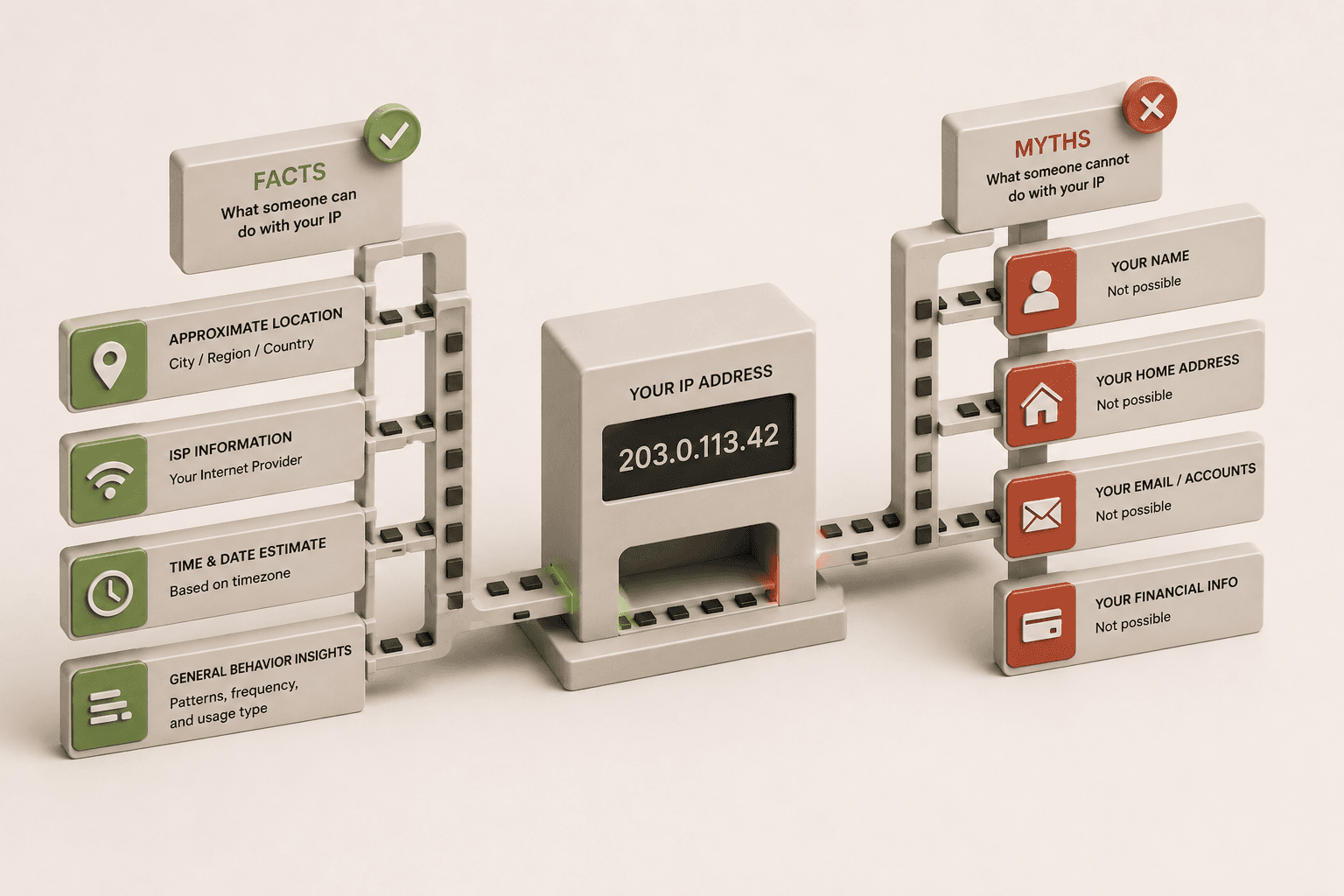
A website can usually see your public IP address, approximate location, ISP, ASN, and browser-level signals like timezone or user agent. It cannot directly see your name, exact street address, or local files from the IP alone.
What websites actually see from your IP
Your public IP is the network-facing address that lets a server send data back to your connection. That is why every website you visit receives it. From there, IP intelligence databases can estimate useful context such as country, region, ISP, and ASN.
Those extra details are not stored inside the IP itself. They are looked up from third-party databases that map address blocks to organizations and approximate geographies.
What websites cannot see from IP alone
An IP address alone does not directly reveal your real name, exact home address, personal files, or browsing history on other sites. To connect an IP to a specific person, a service would need other data or a legal process that reaches the ISP.
Geolocation Accuracy Breakdown
One of the biggest misconceptions is that an IP address functions like a GPS coordinate. It does not. Geolocation databases estimate location based on where the ISP registered the IP block. Here is how accurate it actually is:
- Country Level: ~99% accurate. Websites almost always know what country you are connecting from.
- State / Region Level: ~80-90% accurate. Sometimes traffic is routed through a neighboring state's data center.
- City Level: ~50-80% accurate. Often, the city shown is just the nearest major metropolitan hub where the ISP has infrastructure, not your actual suburban town.
- Street Level (Exact Address): 0% accurate. IP geolocation cannot pinpoint your house. If a website asks for your location and shows your exact street, it used the HTML5 Geolocation API (which relies on GPS or Wi-Fi scanning), not your IP address.
Useful distinction
IP data is about the connection. Browser data is about the device and page context. Those two layers are related, but they are not the same thing.
IPv4, IPv6, and browser signals
A connection may expose IPv4, IPv6, or both. IPv6 can be especially useful to check because it sometimes stays visible even when IPv4 changes. A browser can also reveal timezone, language, screen size, and user agent without asking for permission.
| Signal | What it tells a site |
|---|---|
| Public IP | The internet-facing address used by your connection. |
| ISP / ASN | Which provider or network block your IP is associated with. |
| Approximate location | A rough city, region, or country estimate from IP databases. |
| Browser signals | Timezone, language, user agent, and screen details. |
What about WebRTC and VPNs?
WebRTC can expose an additional public IP in some browser and network setups. A VPN usually changes the IP websites see, but it does not automatically guarantee that browser leaks or IPv6 are blocked.
That is why a good privacy check includes more than one signal. Start with the live IP view, then run a WebRTC test, then verify the VPN path if you are using one.
Related reading
Why Does My IP Address Keep Changing?
Understand dynamic IPs, router reconnects, and network switching.
What Is IPv6 and Why Does It Matter?
See why IPv6 should be checked alongside IPv4.
What Is an ASN in an IP Lookup?
Learn what the network label tells you about an IP.
Why Does My IP Show the Wrong City?
Understand why different sites can show different locations.
Check what your browser reveals
Use the live tool to see the public IP and browser exposure from this session, then compare it with a VPN or WebRTC test if you want to verify privacy changes.
Frequently asked questions
Can an IP address identify me personally?
Not by itself. An IP identifies a network connection, not a name. A site can still combine IP data with logins, cookies, or browser fingerprinting.
Does an IP address show my exact home address?
No. IP geolocation is approximate and usually points to a city or region rather than a street address.
Can a website tell I am using a VPN?
Often yes, at least probabilistically. VPN and datacenter IP ranges are public, so many sites can infer that a connection is likely routed through one.