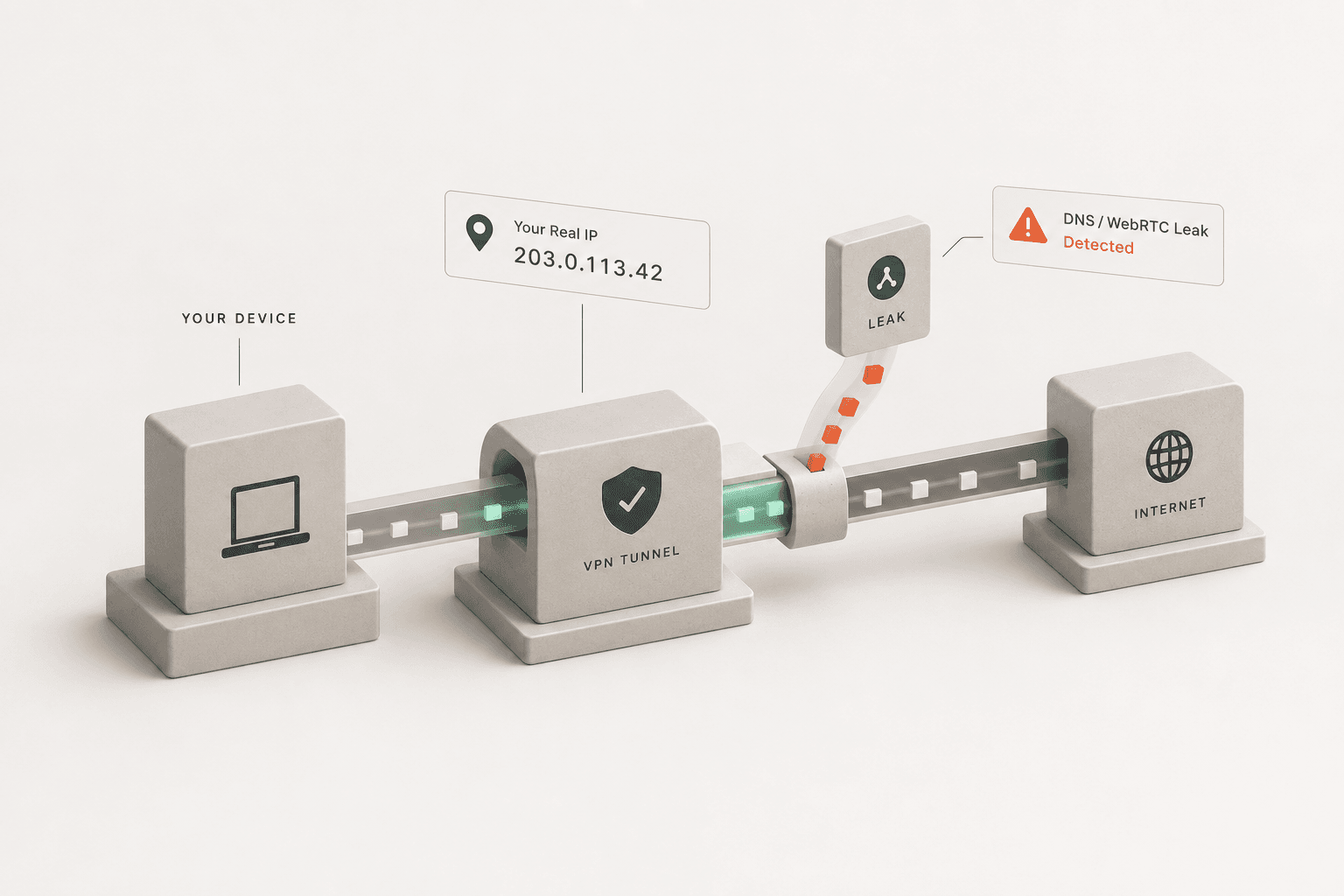
The best free tools to test your VPN for leaks are dedicated IP checkers, WebRTC leak tests, and DNS leak tests that compare your connection before and after the VPN connects. If your real IP address, ISP, or DNS resolver shows up while the VPN is active, the tunnel is leaking.
Run a Full VPN Leak Check Now
Test all three leak types in under a minute - no installs, no sign-up.
How Do You Check a VPN for Leaks?
You check a VPN for leaks by using online testing tools that expose your real IP address, DNS requests, and WebRTC information while the VPN is connected. The process involves systematically checking your network details before and after connecting to the VPN server. If your original IP address, internet service provider details, or physical location appear while the VPN application is active, you are experiencing a leak.
To begin, disconnect your VPN completely. Run a baseline test to find your real IP address and note down the results, including your Internet Service Provider (ISP) and the geographical location shown. Next, connect to a VPN server, preferably one located in a different country or distant city to make identification easier. Finally, run the leak tests a second time. If the test results display your original baseline details instead of the VPN server's details, your VPN tunnel is compromised and failing to secure your internet connection.
What Are the Best Free Tools to Test Your VPN?
The best free tools to test your VPN include dedicated IP checkers, WebRTC leak tests, and comprehensive VPN check utilities that identify data exposure. Aivorize Tools offers a complete suite of free, fast, and highly accurate tests to verify your VPN's integrity directly from your web browser, requiring no additional software installations.
You can use these specific online tools to conduct a full security audit of your VPN connection:
- VPN Checker: This tool performs a comprehensive network analysis of your connection. It identifies whether you are using a VPN, proxy, or data center IP, and detects if your traffic is being routed securely through an encrypted tunnel or exposed to the public web.
- WebRTC Leak Test: WebRTC (Web Real-Time Communication) is a standard browser feature that can bypass VPN interfaces and reveal your true IP address via JavaScript. This specialized test targets WebRTC vulnerabilities to ensure your browser is not leaking your local or public IP data outside the secure VPN tunnel.
- DNS Leak Test: Runs unique DNS probe requests to reveal exactly which DNS servers are resolving your browsing - your VPN's, or your ISP's by mistake.
- What Is My IP: A straightforward, no-nonsense IP address lookup tool. It accurately displays the IPv4 and IPv6 addresses visible to the websites and servers you interact with. Use this tool immediately after connecting to your VPN to confirm that your public-facing IP address changes as expected.
What Is an IP Address Leak?
An IP address leak happens when your actual IP address is transmitted over the internet despite being actively connected to a VPN. Your IP address is a unique numerical identifier assigned by your ISP, functioning much like a digital home address. It reveals your general physical location (city, zip code) and links your online activity directly back to your home network. If your VPN application drops the connection briefly and lacks an automatic kill switch, or if it utilizes weak and outdated encryption protocols, your real IP address can be broadcast. Using a standard IP lookup tool quickly confirms exactly which IP address the rest of the internet sees when you browse.
What Is a DNS Leak?
A DNS leak occurs when your computer or device bypasses the encrypted VPN tunnel and sends DNS requests directly to your default ISP's servers. The Domain Name System (DNS) operates as the phonebook of the internet, translating readable website names into machine-readable IP addresses. Normally, a secure VPN forces all these translation requests through its own private, zero-knowledge DNS servers. If a DNS leak occurs, your ISP can monitor and log every website domain you visit, severely compromising your privacy even though the actual content of the web traffic remains encrypted.
What Is a WebRTC Leak?
A WebRTC leak is a vulnerability in modern web browsers like Chrome, Firefox, and Edge that exposes your real IP address even when you are using a strict, high-quality VPN. WebRTC technology is designed to facilitate high-speed peer-to-peer communication for browser-based voice and video chat applications, and to establish these connections efficiently it inherently needs to know your true IP address. Malicious websites, tracking scripts, and advertisers can use simple WebRTC JavaScript commands to uncover your real IP address hiding behind the VPN. Running a dedicated WebRTC test ensures your browser settings or VPN browser extensions are successfully blocking these requests.
How Often Should You Test Your VPN for Leaks?
You should test your VPN for leaks every time you update your VPN software, change your network settings, or connect to a new public Wi-Fi network. Additionally, running a quick diagnostic test at least once a month is a highly recommended cybersecurity habit. Major software updates to your operating system or your primary web browser can occasionally reset custom privacy settings or introduce new, unforeseen vulnerabilities that trigger leaks. Regular, scheduled testing is the only way to guarantee continuous, uninterrupted protection of your personal data.
How Do You Fix a VPN Leak?
You fix a VPN leak by enabling built-in security features like a network kill switch, changing your VPN tunneling protocol, or actively disabling WebRTC directly in your browser settings. A kill switch immediately cuts your device's internet connection if the VPN tunnel drops unexpectedly, completely preventing accidental IP leaks during reconnects. To stop DNS leaks, dive into your VPN application settings and ensure it is explicitly set to use its proprietary DNS servers rather than defaulting to your ISP's servers. If you consistently detect WebRTC leaks, you may need to install a reputable browser extension specifically designed to disable WebRTC functionality, manually disable it via your browser's advanced configuration flags, or switch to a VPN provider that offers built-in WebRTC blocking at the app level.
Maintaining online privacy is an ongoing process, not a one-time task to cross off a list. As internet tracking technology evolves, so do the methods used to monitor your digital life. Regularly running these free diagnostic tools keeps you in control of your digital footprint and confirms your VPN is consistently delivering the privacy it promises.
Related Reading
- Why Is Your VPN Not Hiding Your IP Address?
The exact reasons VPNs leak - dropped connections, WebRTC, IPv6, and DNS - and how to fix each one.
- How Do I Know If My VPN Is Actually Hiding My IP Address?
A step-by-step before-and-after comparison to confirm your VPN is doing its job.
Useful Tools
- VPN Check
Record your baseline IP, connect your VPN, then compare - a real before-and-after diagnostic.
- WebRTC Leak Test
Force a check for real-time-communication IP exposure your VPN might be missing.
- DNS Leak Test
See exactly which DNS servers are resolving your browsing.