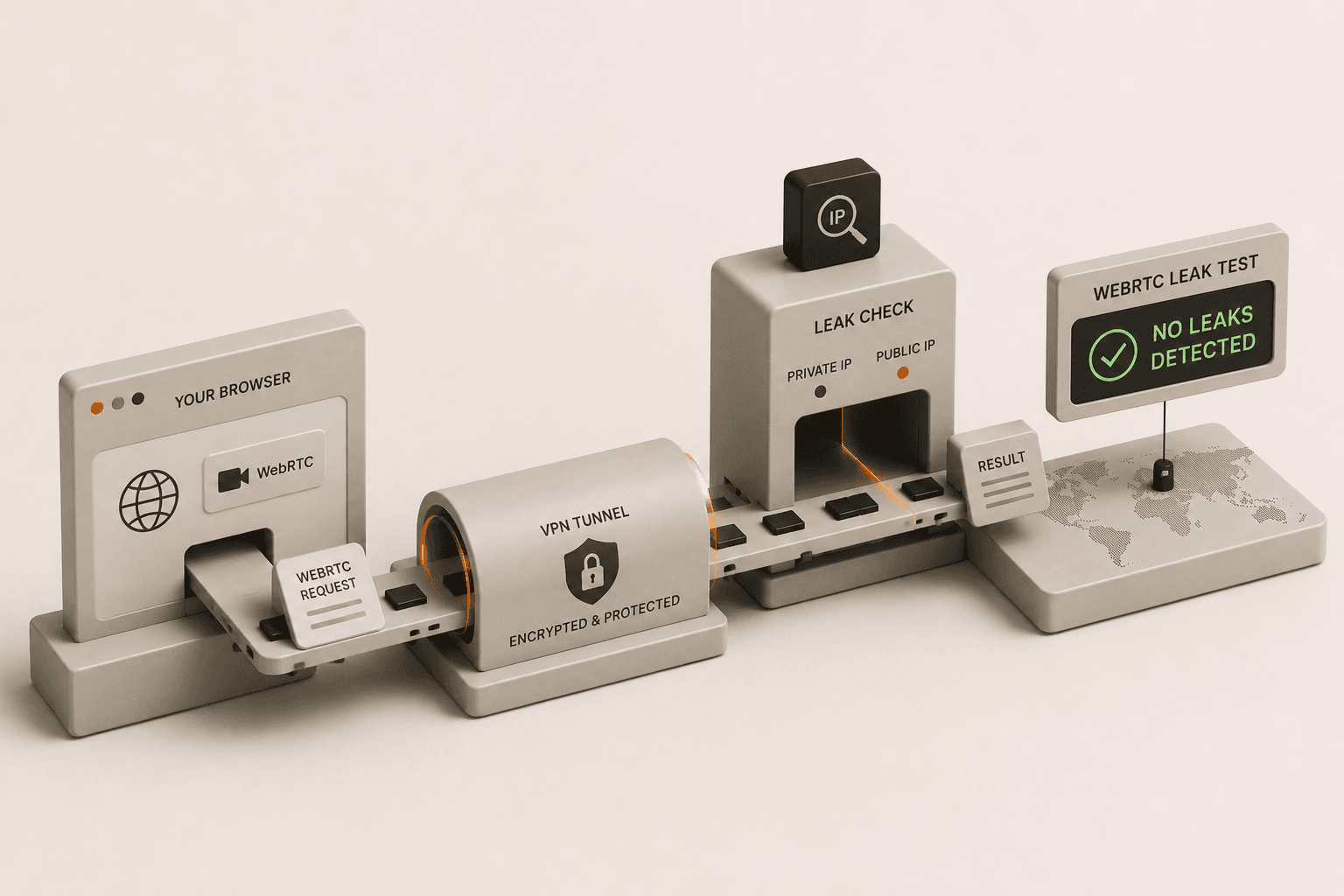
Even if you have a top-tier VPN installed and connected, your browser might still be betraying your real identity. WebRTC (Web Real-Time Communication) is a useful technology built into modern browsers like Chrome, Firefox, and Edge to support seamless voice and video chats. However, it comes with a glaring security flaw for VPN users. If left unchecked, it can leak your actual IP address to any website you visit, rendering your VPN completely useless. This guide shows you exactly how to identify and patch this vulnerability.
What is a WebRTC leak?
A WebRTC leak is a vulnerability where your web browser reveals your real public IP address even while you are connected to a VPN. WebRTC enables real-time peer-to-peer communication for audio and video streaming without requiring additional plugins. To facilitate this, your browser must discover and share its public and local IP addresses with other devices on the network.
When a website requests this information through WebRTC channels, the browser often bypasses the encrypted VPN tunnel to provide your original, true IP address provided by your Internet Service Provider (ISP). Consequently, websites, advertisers, and malicious actors can see your exact location and identity, completely defeating the purpose of using a VPN to stay anonymous. If you want to understand more about evaluating your privacy setup, check out our comprehensive guide on how to know if your VPN is actually working.
How does WebRTC expose my IP address?
WebRTC exposes your IP address because it uses a framework called Interactive Connectivity Establishment (ICE) to discover the most direct path between two devices, often bypassing the encrypted VPN tunnel. To accomplish this, ICE utilizes STUN (Session Traversal Utilities for NAT) servers to discover your public IP address.
The critical issue is that these STUN server requests are made outside of the standard HTTP request process. Because they operate differently, many standard VPN configurations fail to route these specific requests through their secure, encrypted tunnels. Instead, the browser sends the request through your default internet connection. When the STUN server responds, it hands your real ISP-assigned IP address right back to the browser, which then freely shares it with the website running the WebRTC script. The website doesn't even need to ask for your permission to execute it; it happens instantly and invisibly in the background.
Also, WebRTC relies on TURN (Traversal Using Relays around NAT) servers as a fallback when direct connections fail. The entire architecture is built for speed and efficiency in live communications, prioritizing connectivity over privacy. Because browsers are designed to prioritize this direct connectivity, they aggressively search for any available network interface to establish the peer-to-peer link, which easily defaults to your underlying local network interface if not strictly blocked by the OS or the VPN client.
How do I test for WebRTC leaks?
You can test for WebRTC leaks by connecting to your VPN, visiting a WebRTC leak test tool, and checking if your real IP address appears in the results. Testing is straightforward and only takes a few minutes to ensure your privacy is intact.
First, disconnect from your VPN and find your actual public IP address by searching "What is my IP" on a search engine. Write this number down. Second, turn your VPN back on, wait for a successful connection, and ensure your system displays a different IP address. Finally, you need to use a specialized tool that forces a WebRTC request.
We have built a dedicated, secure tool for this exact purpose. Head over to our WebRTC Leak Test page while connected to your VPN. The tool will run the necessary scripts to probe your browser's WebRTC channels. If the tool displays the actual public IP address you wrote down in step one, your VPN connection is leaking. If it only displays your VPN's IP address, or no IP address at all, you are safe. For a broader range of security checks to run alongside this, you can also explore our guide on free tools to test your VPN for leaks.
How can I fix a WebRTC leak?
You can fix a WebRTC leak by disabling WebRTC entirely in your browser settings or by installing a dedicated leak protection extension. The exact method heavily depends on the web browser you are currently using.
If you are using Mozilla Firefox, you can completely disable WebRTC. Type about:config into your address bar and hit enter. Accept the risk warning, and then search for media.peerconnection.enabled. Double-click this preference to change its value from true to false. This completely shuts off WebRTC in Firefox, eliminating the leak permanently.
If you are using Google Chrome, Microsoft Edge, or a Chromium-based browser, you cannot completely disable WebRTC through standard settings. Instead, you must rely on browser extensions. Many reputable VPN providers offer official browser extensions that specifically block WebRTC leaks. Alternatively, you can install trusted open-source extensions like "WebRTC Network Limiter" provided directly by Google, which changes WebRTC's routing rules to prevent it from exposing your real IP.
For Safari users on macOS and iOS, Apple has tightened WebRTC security in recent years. By default, Safari now limits the IP addresses accessible via WebRTC. However, to be absolutely certain, you can navigate to Safari's Preferences, go to the Advanced tab, and enable the "Show Develop menu in menu bar." From the Develop menu, look under "WebRTC" and ensure "Enable Legacy WebRTC API" is unchecked. On mobile devices, fixing WebRTC leaks is challenging because mobile browsers lack extensive extension support. Using a privacy-focused mobile browser like Brave, which aggressively blocks WebRTC leaks by default, is often the most reliable solution for smartphone users. After applying these fixes, always return to the leak test tool to verify the problem is solved.
Does a WebRTC leak mean my VPN is broken?
No, a WebRTC leak does not mean your VPN is broken or inherently flawed; it is a vulnerability originating from your web browser's design. Your VPN might be flawlessly encrypting your traffic and routing your standard web requests through its secure servers just as intended.
Because WebRTC operates on a different, peer-to-peer level designed to bypass firewalls and standard routing to reduce latency, it sneaks past the VPN's standard protections. While premium, high-quality VPNs often include built-in, OS-level mechanisms to catch and block these specific STUN requests, many standard VPN protocols do not inherently prevent them.
Securing your connection is a shared responsibility. Think of your VPN as a heavily armored vehicle. It protects you perfectly well on the road. However, a WebRTC leak is like rolling the window down while driving through a dangerous area; the vehicle is fine, but you have exposed yourself. To achieve complete privacy, you must patch these browser-level vulnerabilities. By taking the few minutes required to test your connection and adjust your browser settings, you can ensure that your true IP address remains hidden, preserving the full anonymity that you expect from your VPN service.