Quick answer
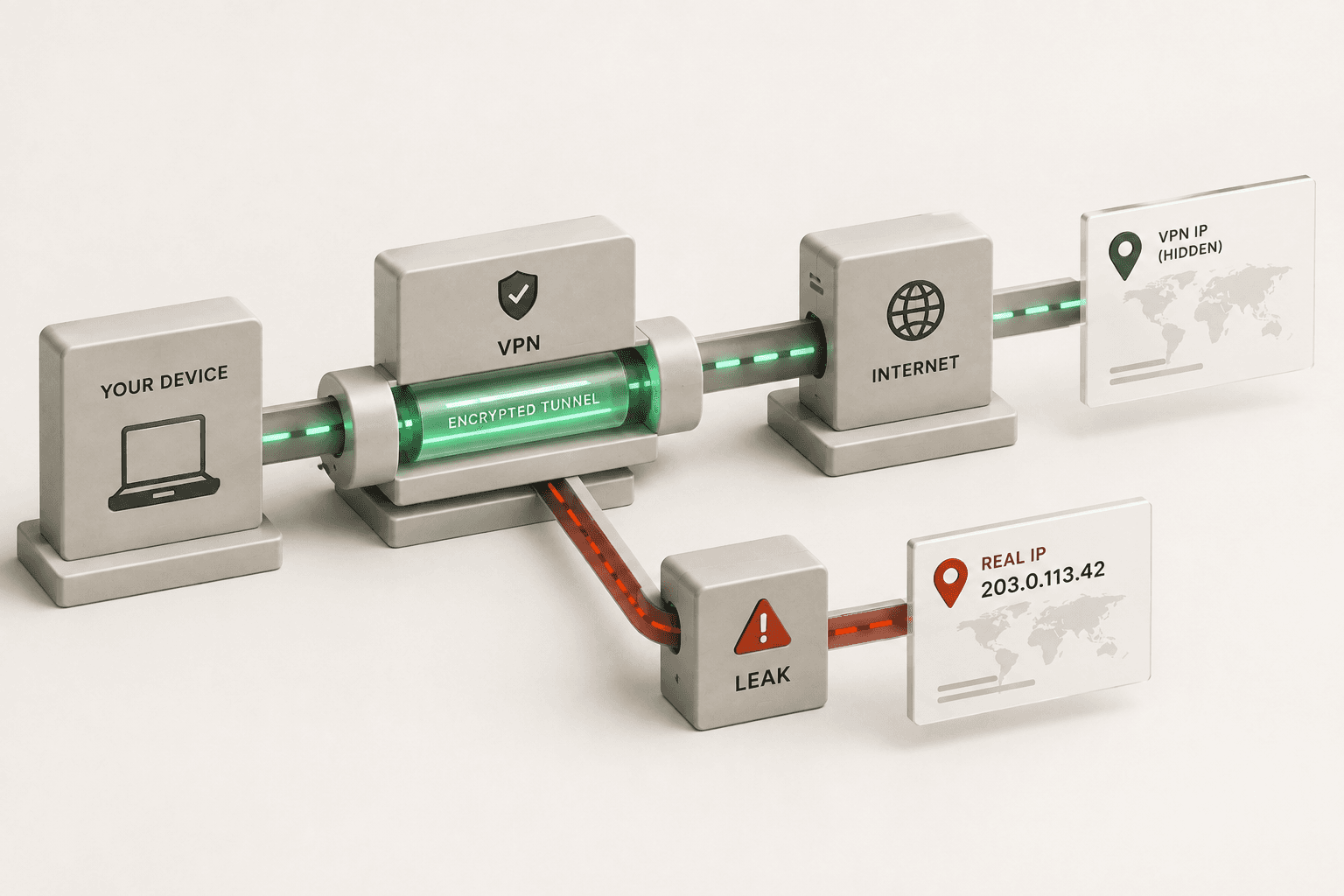
iCloud Private Relay is designed to hide your IP in Safari, but recent WebKit research showed that some browser paths can still expose your real IP address or DNS details. If you want to know whether your own session is leaking, run an IP check and a WebRTC leak test now.
Primary sources: Apple Support, Apple Developer, and the original research report.
Is iCloud Private Relay a VPN?
No. That distinction matters because a VPN typically creates a device-wide tunnel, while Private Relay is built around Safari and DNS privacy. If you expected every app on your phone to be hidden behind the same privacy layer, Private Relay does not work that way.
For a broader device-level privacy setup, compare your results against our VPN & Privacy tools and the VPN check guide.
What Private Relay is supposed to do
Apple describes iCloud Private Relay as a privacy layer for Safari that routes web requests through separate relays so websites do not see your normal connection details. In practical terms, that means the service should replace your direct IP with a relay address and keep DNS lookups hidden from the sites you visit. Apple’s developer docs also say Private Relay is designed for Safari browsing and DNS resolution, not as a system-wide VPN replacement.
That protection is useful, but it is also narrower than what many people assume. Private Relay is not a full-device VPN, and it does not behave like one.
Why the leak matters
In August 2026, researchers reported that three WebKit features could bypass the privacy path you expect from Private Relay: DNS prefetching, WebAuthn Related Origin Requests, and WebTransport. Because iOS browsers are required to use WebKit, the issue can affect Safari and other browsers on iPhone and iPad too.
DNS prefetching
A page can ask the browser to resolve hostnames early, which may reveal DNS activity outside the relay path.
Passkey-related requests
WebAuthn-related flows can trigger background requests that expose your network location while a site is checking credentials.
WebTransport
Some newer connection paths can establish direct transport outside the expected privacy tunnel.
How to check your IP right now
- Turn on Private Relay, then open our What Is My IP tool in a new tab.
- Compare the IP and ISP details you see with the connection you expect. If the result looks like your normal ISP instead of a relay network, treat the session as exposed.
- Run the WebRTC Leak Test to check for a second, browser-level route that can reveal more than you intended.
- If you need device-wide protection, compare the result with a VPN Check so you can tell the difference between browser privacy and a true system tunnel.
Who is affected
This is bigger than Safari on the surface. Because Apple requires all iOS browsers to use WebKit, Chrome, Firefox, Tor-based browsers, and other iPhone browsers can inherit the same browser-engine behavior. That is why the report matters for anyone relying on iPhone privacy tools, not just Safari users.
What to do until you verify the fix yourself
Use a system-level VPN
A VPN covers more of the device than Private Relay and is the safer option when you need broader traffic protection.
Retest on sensitive sessions
Run the IP and WebRTC checks again before anything sensitive, especially if you switch networks, browsers, or privacy settings.
Run the checks we use most
These tools give you a fast read on what your browser is exposing before you trust the session.
Related reads
Frequently asked questions
Does Private Relay protect all apps?
No. It is primarily aimed at Safari web traffic and DNS behavior, not every network request from every app on the device.
Why does my browser still show my ISP?
If the privacy path is bypassed or not active for that request, websites can see the normal connection instead of a relay address.
What websites can still see
If your connection is exposed, websites may be able to see your real IP, infer your ISP or network provider, and use that information to estimate your region. For a deeper breakdown, read what websites can see from your IP address.